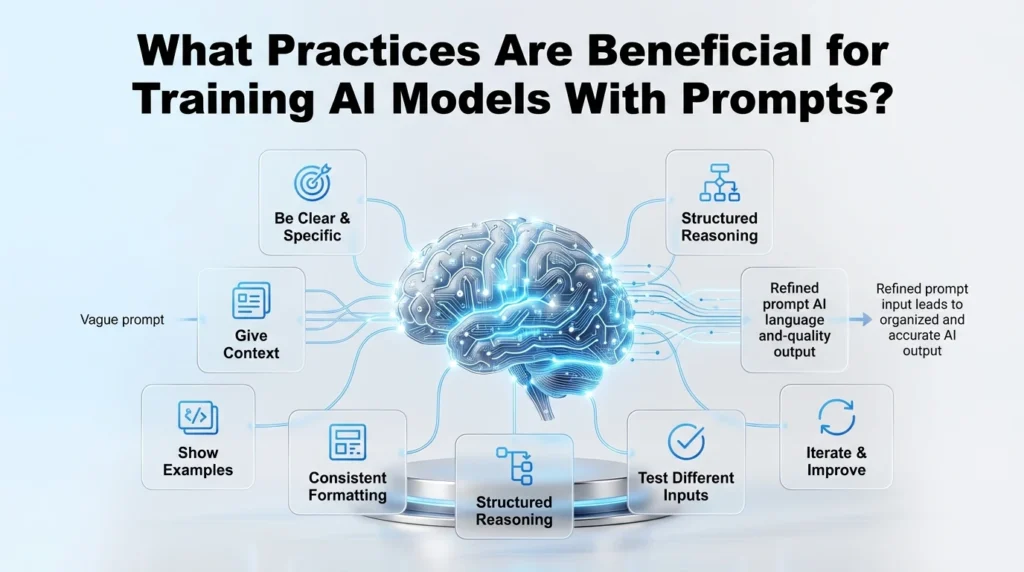
How to Create an AI Model: A Beginner’s Step-by-Step Guide
Learn how to create an AI model step by step, from no-code tools to training from scratch, with a worked example, costs, and an FAQ for beginners.
On this page
- Table of Contents
- What Is an AI Model?
- How Does an AI Model Learn?
- 4 Ways to Create an AI Model
- How to Create an AI Model From Scratch
- Example: How to Build a Cat vs. Dog AI Model
- How to Create an AI Model Without Coding
- Training From Scratch vs. Fine-Tuning vs. RAG
- Overfitting and Why Evaluation Matters
- How Much Does It Cost to Build an AI Model?
- How Long Does It Take?
- Common Mistakes Beginners Should Avoid
- Final Takeaway
- FAQs About How To Create an AI Model?
If you’ve ever wondered how apps recognize your voice, sort your photos, or answer your questions, the answer usually comes down to an AI model. Learning how to create an AI model isn’t as mysterious as it sounds; it’s a process with clear stages, and you can start small even if you’ve never written a line of code.
This guide walks through what an AI model actually is, the different ways people build one today, and a full step-by-step process you can follow whether you want to build one from scratch with code or without writing any code at all.
Table of Contents
What Is an AI Model?
These terms get mixed up a lot, so it helps to separate them:
- Artificial intelligence (AI) is the broad idea of machines performing tasks that normally require human thinking, like recognizing images or holding a conversation.
- Machine learning (ML) is a specific approach to AI where a system improves at a task by learning from data, rather than following rules a person wrote by hand.
- An AI/ML model is the actual result of that learning process: a set of mathematical parameters that has been adjusted so it can make predictions or decisions on new input.
- Training is the process of adjusting those parameters using example data.
- Inference is what happens afterward: using the trained model to make a prediction on something new.
Put simply, a model is what you get after training. You don’t hand-write instructions for every possible cat photo; instead, you show the system enough labeled examples that it learns the pattern on its own, then it applies that pattern to photos it hasn’t seen before.
How Does an AI Model Learn?
The general workflow looks like this:
- You gather examples relevant to the task (this is your training data).
- The model looks for statistical patterns in those examples.
- It adjusts its internal parameters to reduce the number of mistakes it makes.
- You test it on examples it hasn’t seen, to check whether it actually learned the pattern or just memorized the training set.
This basic loop applies to many machine learning systems, though the details (the type of data, the algorithm, the computing power needed) vary a lot depending on the task.
4 Ways to Create an AI Model
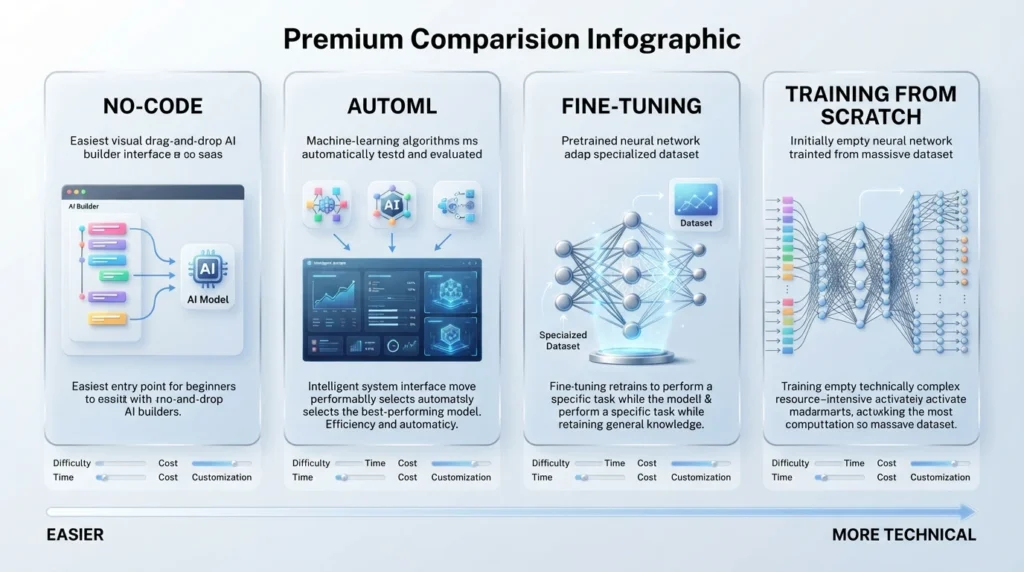
You don’t need to be an experienced programmer to get started. Here are the main approaches, roughly from easiest to most involved:
| Approach | Best For | Difficulty | Typical Time | Relative Cost |
|---|---|---|---|---|
| No-code tools | Beginners, quick prototypes, simple tasks | Low | Hours to a couple of days | Often free or low-cost for small projects |
| AutoML platforms | People with data but limited ML experience | Low–medium | Days | Low to medium, mainly cloud compute costs |
| Fine-tuning a pretrained model | Developers who want a specific task done without training from zero | Medium | Days to a few weeks | Medium, depends heavily on data size and compute |
| Training from scratch | Teams with unique problems, large datasets, or full control needs | High | Weeks to months | Can vary widely, often the most expensive path |
If you’re just exploring, a no-code tool or AutoML platform is the fastest way to get something working. If you want to understand the mechanics or need something highly customized, training from scratch or at least fine-tuning is worth learning.
No-Code AI Tools
Platforms where you upload data and configure settings through a visual interface, with no programming required. Google’s Teachable Machine is one free way to try this.
AutoML
Cloud services that automatically test different algorithms and settings on your data and pick a strong-performing configuration for you.
Fine-Tuning a Pretrained Model
Taking a model that’s already been trained on a large, general dataset and continuing its training on your specific data or task. The Hugging Face training guide shows how developers do this.
Training From Scratch
Starting with an untrained model and teaching it everything using your own dataset from the very beginning.
How to Create an AI Model From Scratch
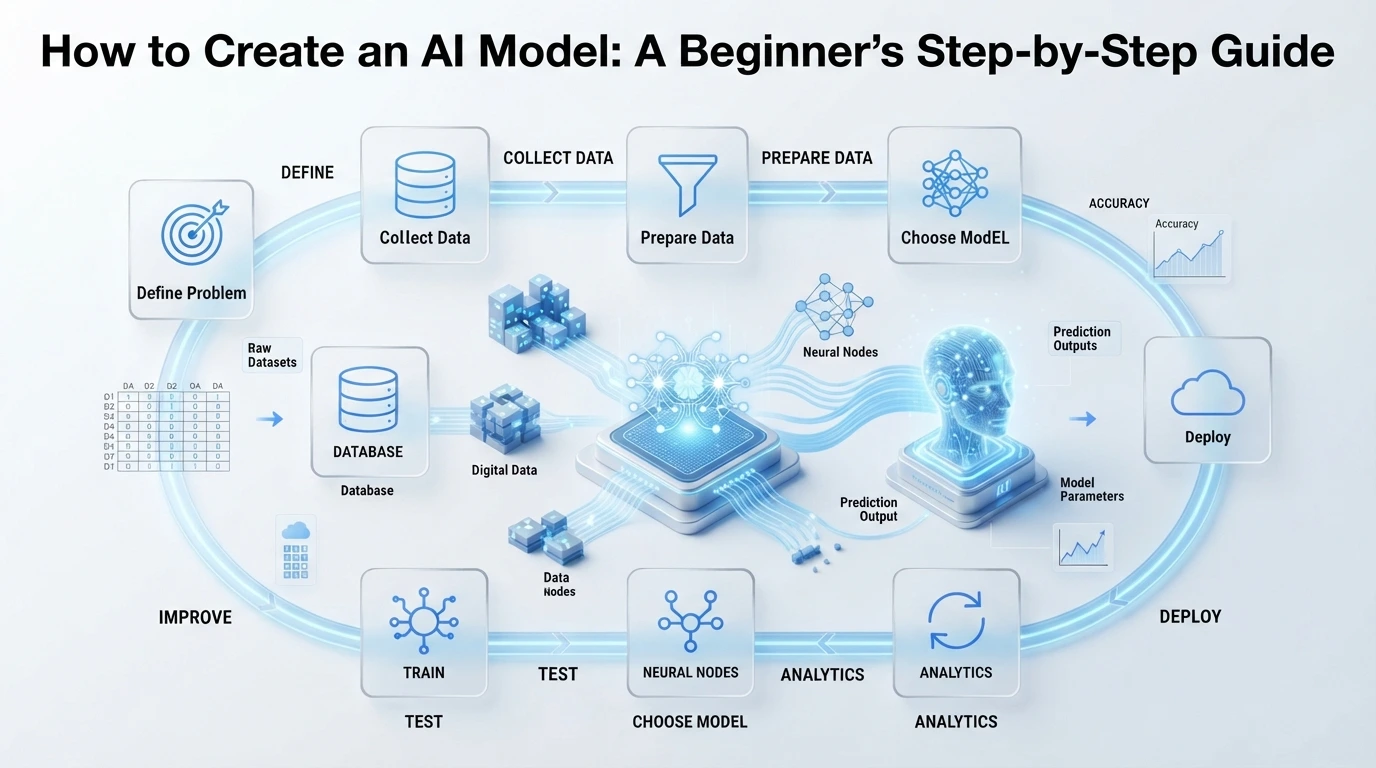
Here’s the full process, the way it’s actually done in practice. Real projects rarely move through these steps once in a straight line. You’ll often go back and repeat earlier steps as you learn more.
1. Define the Problem
Be specific about what you want the model to do. “Sort photos” is vague; “tell whether a photo contains a cat or a dog” is something you can actually build toward.
2. Define Your Success Metric
Decide how you’ll know if the model is good enough. For example, what percentage of predictions need to be correct. Without this, you have no way to judge progress.
3. Collect Data
Gather examples relevant to your problem. The amount and quality of data needed depends heavily on the task’s complexity.
4. Prepare the Data
Clean out errors, remove duplicates or corrupted files, and label each example correctly. Mislabeled or messy data directly limits how well the model can learn.
5. Split the Dataset
Divide your data into three groups:
- Training data: what the model actually learns from
- Validation data: used during development to tune settings
- Test data: held back completely, used only at the end to check real performance
Keeping test data separate matters because it’s the only way to check whether the model generalizes to new examples, rather than just memorizing what it already saw.
6. Choose a Model
Pick an algorithm or architecture suited to your data type. Some approaches work better for images, others for text or structured numbers. For many beginner projects, a simpler model is easier to train and debug than a very large one.
7. Train the Model
The model processes the training data repeatedly, adjusting its internal parameters to reduce errors.
8. Evaluate the Model
Check performance on the validation and, later, the test data. This is where you catch overfitting, which is when a model performs very well on training data but poorly on new data, because it memorized specifics instead of learning the underlying pattern.
9. Improve the Model
Based on evaluation results, you might collect more data, adjust settings, try a different algorithm, or fix labeling issues. This step usually repeats several times.
10. Deploy and Monitor It
Once performance is acceptable, put the model into use. Keep monitoring it afterward, because real-world data changes over time, and a model’s accuracy can drift if it isn’t updated.
Example: How to Build a Cat vs. Dog AI Model
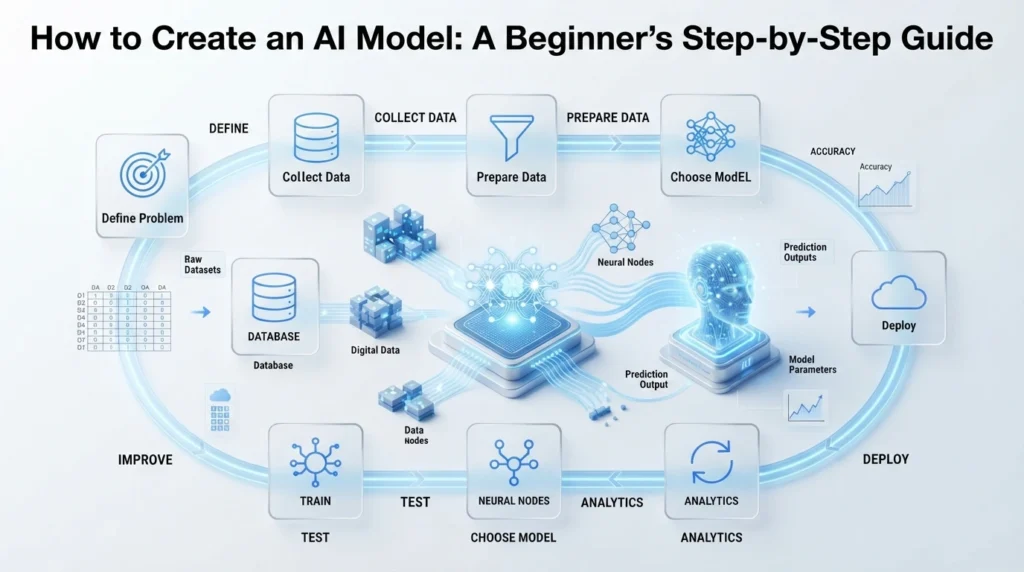
To make this concrete, here’s a simplified, illustrative walkthrough. The numbers below are examples only, not fixed requirements.
- Goal: Given a photo, predict whether it shows a cat or a dog.
- Data: Say you collect 2,000 labeled photos: 1,000 cats and 1,000 dogs.
- Labels: Each photo is tagged “cat” or “dog” before training.
- Split: You might use 1,600 photos for training, 200 for validation while tuning, and 200 held back as a final test set.
- Model choice: A convolutional neural network, a type of model well-suited to image data, is a common choice for this kind of task.
- Training: The model looks at the 1,600 training photos repeatedly, gradually adjusting itself to reduce prediction errors.
- Evaluation: You check accuracy on the 200 validation photos while adjusting settings, then run the final, untouched 200 test photos through the model at the end.
- New image: When the model sees a photo it has never encountered before, it uses the patterns it learned (fur texture, ear shape, proportions) to make a prediction.
If the model scores 98% accuracy on the training photos but only 60% on the test photos, that’s a sign of overfitting: it memorized specific training images rather than learning what actually makes something look like a cat or a dog. A model that performs similarly well on both sets is the one that has genuinely learned the pattern.
How to Create an AI Model Without Coding
A beginner can realistically build several kinds of working AI systems without writing code, using no-code or low-code platforms. Common examples include:
- Image classification: sorting or tagging photos into categories you define
- Simple prediction models: for example, estimating a number based on a spreadsheet of past data
- Document or question-answering systems: letting users ask questions about a set of uploaded documents
- Basic AI applications, such as a chatbot trained on a specific set of information
The general workflow is similar across most no-code platforms:
Choose a task → provide data → train or configure the model → test it → improve it → deploy it.
No-code tools are genuinely useful for prototypes and many practical, well-defined tasks. They’re not a full replacement for custom machine learning, though highly specialized problems, very large datasets, or tasks needing fine-grained control over the model’s architecture usually still require code and more traditional ML tools.
Training From Scratch vs. Fine-Tuning vs. RAG
If you want to go deeper, try Google’s free Machine Learning Crash Course or IBM’s guide to RAG. These three approaches get confused often, so here’s how they actually differ:
| Approach | What It Does | When It Makes Sense |
|---|---|---|
| Training from scratch | Starts with an untrained model and learns all its parameters from your data | You have a large, unique dataset and a problem that existing models don’t already handle well |
| Fine-tuning | Starts with a pretrained model and continues training it on your specific data, task, or style | You want a model adapted to a specific use case without the cost of training from zero |
| RAG (retrieval-augmented generation) | Keeps the model’s training as-is, but retrieves relevant external information at the moment of use, rather than baking that information into the model’s parameters | You need the system to reference current or frequently changing information without retraining it |
Fine-tuning changes what the model itself has learned. RAG leaves the model unchanged and instead feeds it relevant information at the time it’s asked a question. Depending on the goal, these approaches are often combined rather than treated as an either-or choice.
Overfitting and Why Evaluation Matters
A model can look excellent during training and still fail in the real world. This usually comes down to overfitting.
Think of it like memorizing the answers to a practice test instead of understanding the subject. You’ll ace that exact test, but a slightly different set of questions will expose the gap immediately. A model that overfits does the same thing: it has memorized specifics of the training data rather than learning the general pattern behind it.
That’s why held-back test data matters so much: it’s the only honest way to check whether a model has actually generalized, rather than just gotten very good at recognizing examples it has already seen.
How Much Does It Cost to Build an AI Model?
There’s no single price, because cost depends on several factors:
- The size of the model
- How much training data you need to collect or license
- Computing power required, especially GPU access for larger models
- Whether you’re training from scratch or building on an existing pretrained model
- Cloud hosting or API usage costs
- Deployment requirements and ongoing maintenance
- How many users or requests the system needs to support
As a rough sense of scale: a small no-code or AutoML project can often be built for little to no direct cost beyond a platform’s free or low-tier plan. Fine-tuning a pretrained model on a modest dataset typically involves modest cloud compute or API charges. Training a large custom model from scratch, or running a model in production for many users, can range from a few hundred dollars to a substantial ongoing budget, depending entirely on scale.
How Long Does It Take?
Timelines vary just as widely as cost:
- No-code tools: often hours to a few days for a working first version
- AutoML: typically a few days, including setup and testing
- Fine-tuning: commonly a few days to a few weeks, depending on data readiness
- Training from scratch: usually weeks to months, and can extend further for complex or large-scale projects
Data preparation is frequently the slowest part of any of these paths. Collecting, cleaning, and labeling data usually takes longer than training itself.
Common Mistakes Beginners Should Avoid
- Starting with too little or too narrow a dataset for the task’s difficulty
- Using messy, inconsistent, or biased data without cleaning it first
- Skipping a held-out test set and judging performance only on training data
- Choosing an unnecessarily complex model for a simple first project
- Deploying a model and never monitoring or updating it afterward
Final Takeaway
Creating an AI model comes down to a repeatable process: define a clear problem, gather and prepare good data, train and honestly evaluate the result, then improve it based on what you find. You can start with a no-code tool to get a feel for the process, move on to fine-tuning a pretrained model once you’re comfortable, or work toward training a model from scratch if your project calls for it. If you’re using an existing model rather than building one, start with better prompting practices and our guide to the best AI tools. Pick the path that matches your current skills and the problem you’re trying to solve, and treat your first attempt as a starting point rather than a finished product. Most working AI systems are the result of several rounds of testing and improvement, not a single pass.
FAQs About How To Create an AI Model?
Can I create an AI model without coding?
Yes, for many practical tasks. No-code and AutoML platforms let you build working models like image classifiers or simple predictors without writing code, though highly specialized problems may still need custom development.
Can one person build an AI model?
Yes. Many individual developers and hobbyists fine-tune pretrained models or use no-code tools to build working projects on their own, especially for smaller or well-defined tasks.
How much does it cost to build an AI model?
It depends on the approach, model size, and data requirements. Costs can range from essentially free for small no-code projects to a significant ongoing budget for large custom models running in production.
How long does it take to build an AI model?
Anywhere from a few hours for a simple no-code prototype to several months for a large, custom-trained model, depending on data readiness and project scope.
Can I train an AI model on my own computer?
For small or simple models, yes. Larger models generally require more computing power than a typical personal computer provides, which is why cloud-based GPU resources are commonly used.
Is fine-tuning better than training from scratch?
Neither is universally better. Fine-tuning is usually faster and cheaper when a suitable pretrained model already exists, while training from scratch makes more sense for highly unique problems or datasets that existing models don’t cover well.
What programming language is best for AI?
Python is the most widely used language for machine learning, thanks to its libraries and community support, though it isn’t required for no-code approaches.
AI tools change often. We check our guides and update them when steps change. Spotted something out of date? Tell us and we’ll fix it.